If you have a powerful computer and you want to split it into 10 separate computers that all run at the same time, you must’ve heard of servers. Servers make it easy for you to run programs and have 10+ servers on a single physical machine. Proxmox and ESXi are two software that help you do that.
What is Proxmox?
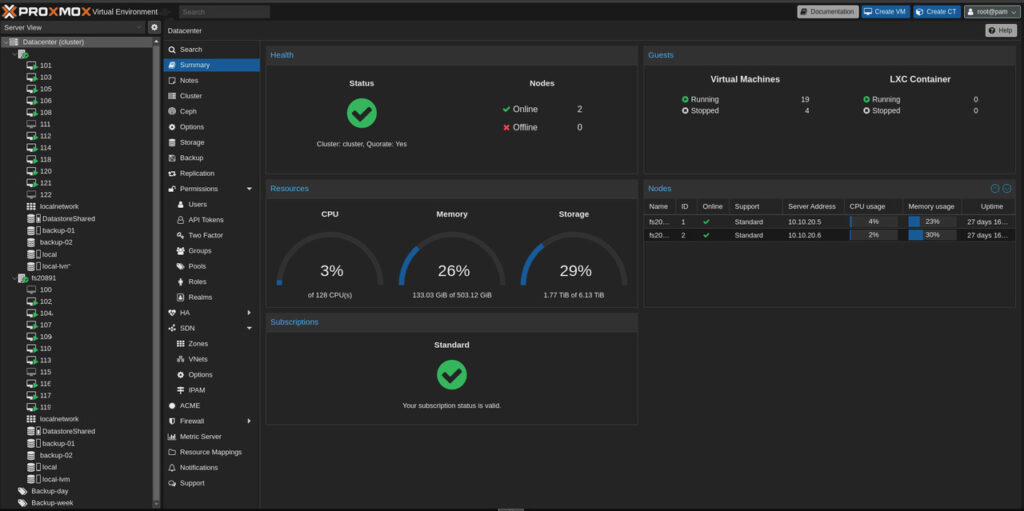
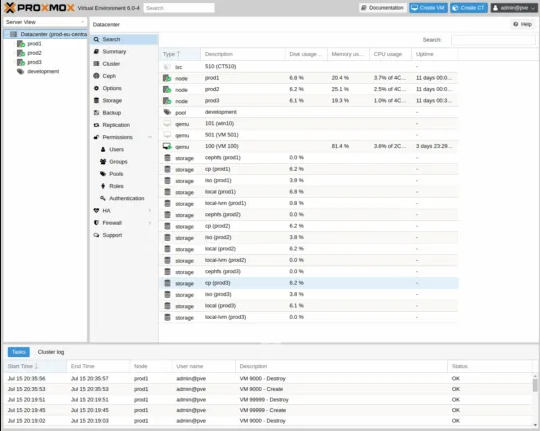
Proxmox is a free software that can turn one computer into many virtual computers. You can control Proxmox through any web browser and no special apps needed. You just have to open Chrome, Firefox or any browser and manage everything from there. It’s free and you just need to download it, use it, and run as many virtual computers as you want.
What is ESXi?
ESXi is the same as Proxmox but it’s made by a company named VMware which is now owned by another company called Broadcom. ESXi has been around for over 20 years and big companies like banks, hospitals, and tech companies use it. ESXi used to have a free version but that’s gone because they removed it completely in 2024. But it has been tested in every way possible for two decades.
Pricing
Proxmox is completely free to use and you can optionally pay $115 per year per CPU socket for enterprise support and tested updates but the software works perfectly without paying.
ESXi’s professional licensing starts at somewhere around $350 per year per CPU core with enterprise bundles available. It includes professional support, regular updates and access to VMware’s complete ecosystem.
Thus, many large organizations find the investment worthwhile for reliability and features. The pricing shows ESXi’s position as enterprise software with dedicated support teams, extensive testing and guaranteed compatibility.
How ESXi and Proxmox Work?
Both ESXi and Proxmox are Type 1 or bare-metal hypervisors and create VMs (virtual machines) which means a computer inside a computer. You have one physical server and create multiple VMs on it like 5 Windows computers, 3 Linux computers, and 2 testing computers. All running together on one machine and each VM operates independently and safely.
Containers (Proxmox Feature)
Proxmox offers containers with VMs. If VMs are like separate houses with everything, containers are like buildings, private and separate but sharing some building infrastructure. Containers start in 1-2 seconds compared to 30-60 seconds for VMs. They use much less memory almost around 50-100 MB instead of 2-4GB. You can use containers for websites, databases, and single services and use VMs for Windows applications, complex software and maximum isolation.
ESXi focuses on VMs which most professionals like for their complete isolation and security. For containers, ESXi integrates with Kubernetes through VMware Tanzu and offers enterprise-grade container management.
Getting Started
Proxmox installs in about 10 minutes. Put it on a USB drive, plug it in, follow the steps and you’re ready. Open a web browser to start. You can also link multiple servers together (clustering). If one fails, VMs move to working servers automatically which is included free.
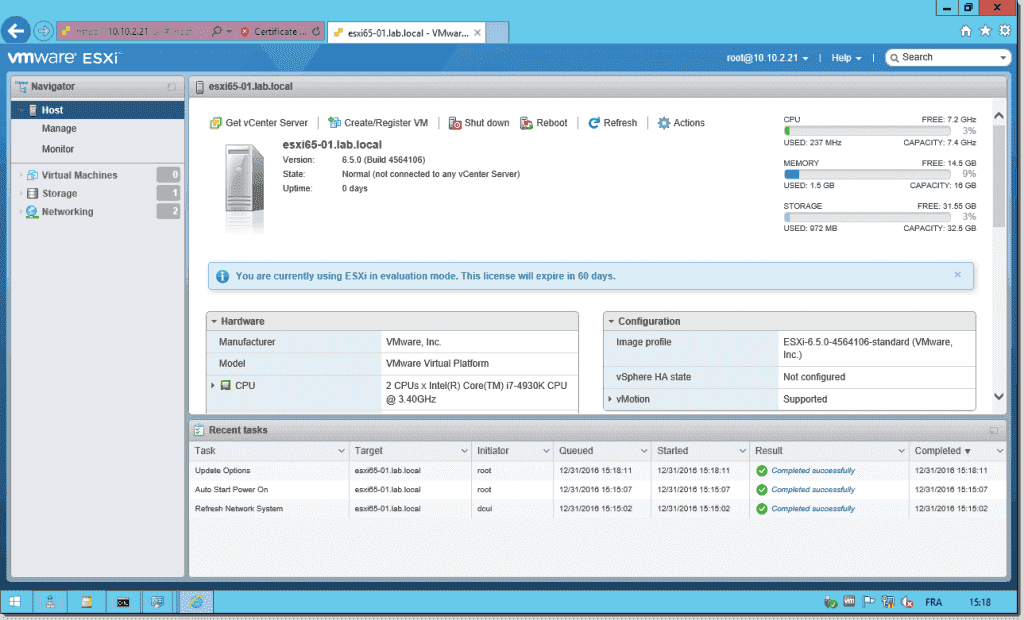
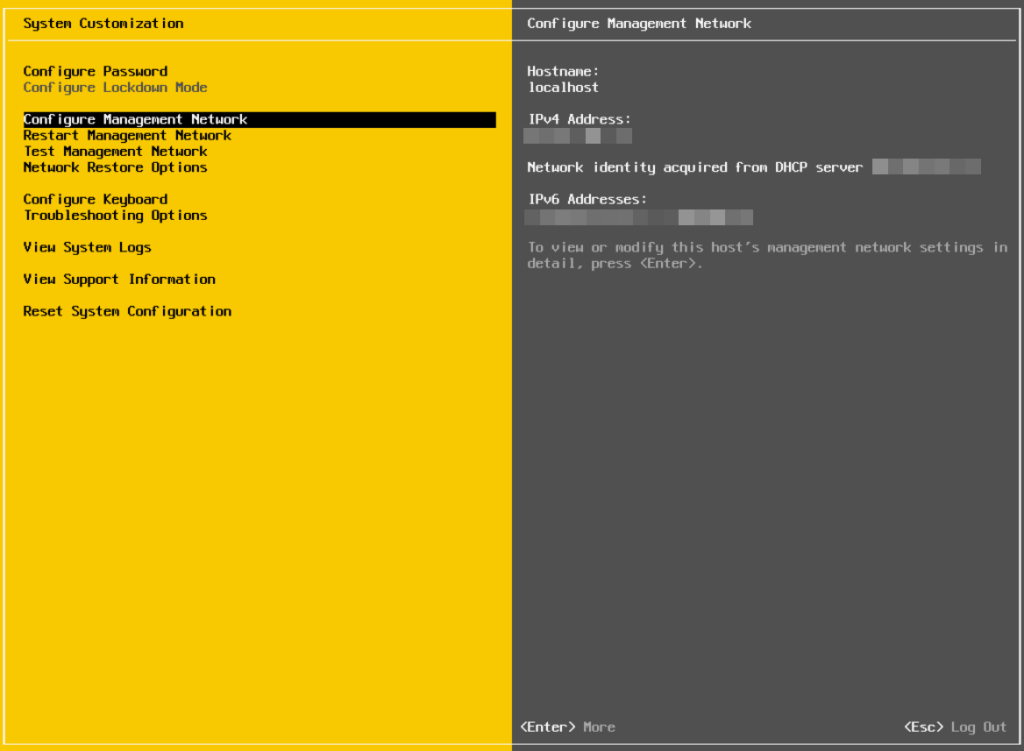
ESXi also installs quickly and smoothly and the installation process is so polished. VMware has made it better over 20 years and that’s why everything works cleanly. The ESXi interface is intuitive and easy making it one of the best-designed management interfaces in IT.
For advanced features, you add vCenter Server which gives ESXi automated workload balancing, sophisticated high availability and centralized management of hundreds of servers. But it costs extra but you do get enterprise-grade features.
Storage Solutions
Both Proxmox and ESXi handle storage well.
Proxmox includes several options:
- ZFS: Modern storage with compression and data protection. Saves 30-40% space typically.
- Ceph: Distributes data across servers for protection
- Standard storage: Regular hard drives and network storage
ESXi uses VMFS, VMware’s highly optimized filesystem. VMFS has been refined over 20 years and is extremely reliable. It’s designed specifically for virtualization workloads.
ESXi works well with enterprise storage collections from NetApp, Pure Storage, Dell EMC, and other vendors. The integration is seamless because VMware partners closely with storage vendors.
For distributed storage, ESXi offers vSAN. It’s an additional purchase, but vSAN is considered the best hyper-converged storage solution available. It’s fast, reliable, and backed by VMware’s excellent support.
Backup Capabilities
Proxmox includes backup scheduling in the free version. Proxmox Backup Server (also free) adds advanced features like deduplication to save storage space.
ESXi is designed to work with professional backup solutions. Veeam, Commvault, Rubrik, and other enterprise backup tools work perfectly with ESXi. These are the same backup solutions that protect the world’s largest companies.
ESXi gives you flexibility to choose the best backup software that fits your needs. The APIs are well-documented and reliable. Professional backup software vendors prioritize ESXi support because the industry chose it.
Performance
Both perform excellently.
ESXi has been optimized for performance over 20 years. VMware has some of the world’s best engineers who continuously work to make the performance better. The result is consistent and we get reliable performance across any workload.
ESXi handles memory management brilliantly. It can run more VMs per server efficiently. The networking stack is mature and optimized. Everything just performs smoothly.
Proxmox also performs very well, especially with proper VirtIO driver configuration. Performance is comparable for most workloads.
The key difference: ESXi delivers consistent performance out of the box with any configuration. The default settings are already quite optimized so you don’t need to be a Linux expert to get great performance.
Moving Between Platforms
Moving to Proxmox from ESXi: Proxmox has built-in import tools and the process is mostly automatic though Windows VMs need VirtIO drivers installed for a smooth operation. Linux VMs generally move easily.
Moving to ESXi from Proxmox: VMware provides conversion tools and extensive documentation. Because ESXi is the industry standard, there are many professional migration services available. If you need help, you can hire experts who’ve done thousands of migrations.
Learning and Using
ESXi is easier to learn and use which makes it the best in the business.
The interface is clear and well-organized and the helpful wizards guide you through tasks. The documentation is easy to understand. There are also thousands of tutorials, courses, and certifications available.
If you know Windows, you’ll get comfortable with ESXi quickly. The concepts make sense. The buttons do what you expect. Error messages are clear.
VMware certifications (VCP, VCAP) are recognized worldwide and very valuable for IT careers. Having ESXi skills opens job opportunities.
Proxmox requires Linux knowledge. You need to use the command line for about 30% of tasks. You should understand Linux concepts, networking, and storage.
Learning time:
- ESXi: 20-40 hours to become productive
- Proxmox: 40-120 hours depending on Linux experience
High Availability
Both keep services running when hardware fails.
ESXi with vCenter offers the most sophisticated high availability in the industry.
- vSphere HA: Automatically restarts VMs if a host fails
- vMotion: Move running VMs between hosts with zero downtime
- DRS: Automatically balances workloads across servers
- Proactive HA: Detects hardware problems before failure
These features are mature and trusted. Companies running 24/7 critical services rely on ESXi’s high availability. It simply works.
Proxmox includes clustering and HA features free. VMs restart on healthy servers if one fails (within about 2 minutes). Live migration is supported. It’s good and reliable though not as feature-rich as vSphere.
Hardware Compatibility
ESXi has a strict Hardware Compatibility List (HCL). This is actually a strength and not a limitation.
The HCL means VMware has tested and certified some specific hardware. When you buy HCL-certified servers everything works perfectly. No surprises. No compatibility issues. No debugging at 2 AM.
Major server vendors (Dell, HPE, Cisco, Lenovo) design their servers especially for ESXi. They test extensively with VMware. When you buy an enterprise server, ESXi support is guaranteed.
This gives you peace of mind. In business, knowing your hardware is certified and supported is helpful.
Proxmox can run on a wider range of hardware due to Linux kernel support. It is good for home labs and custom builds but means you might encounter hardware-specific issues that need troubleshooting.
Support and Ecosystem
ESXi has the largest virtualization ecosystem in the world.
Thousands of software vendors certify their products for ESXi. Backup software, monitoring tools, security products, management platforms—they all support ESXi first and best.
VMware’s support is pretty professional and responsive. When you have a critical issue, you can call VMware support and get expert help easily.
Training is everywhere. Books, courses, YouTube videos, certification programs. Whatever you need to learn, resources exist.
Proxmox has an active community and forums. The community is helpful and growing. Documentation is good, though not as extensive as VMware’s.
Who Should Use What?
Choose ESXi if:
- You want the proven industry standard
- Reliability and uptime are critical
- You need professional support contracts
- You want extensive training and certification options
- Your team already knows VMware
- You need integration with enterprise tools
- You value polished, intuitive interfaces
- Budget allows for enterprise software
Choose Proxmox if:
- Budget is limited
- You’re comfortable with Linux
- You want both VMs and containers built-in
- You need flexibility without licensing restrictions
- You’re running smaller deployments (1-50 servers)
Small businesses (1-10 servers): Proxmox offers excellent value for budget-conscious organizations. ESXi is a better option if you need reliability and support and you have the budget.
Medium businesses (10-100 servers): ESXi offers more mature features and better support. Proxmox offers better cost savings.
Large enterprises (100+ servers): ESXi is the standard for all the good reasons. The maturity, support, ecosystem, and proven reliability make it the best and safe choice for critical workloads.
What About In 2025?
ESXi remains the gold standard in virtualization. It runs most of the world’s critical infrastructure. When reliability matters, most organizations choose ESXi.
The maturity of ESXi is unmatched. 20 years of development, testing, and refinement show in every aspect. It’s reliable and predictable.
Which One’s For You?
Both products work well and will successfully run your virtual machines.
ESXi’s strengths: Industry-leading reliability, best-in-class support, extensive ecosystem, easier to learn, polished interface, proven at massive scale.
Proxmox’s strengths: Free, flexible, includes containers, good performance, active development.
For many organizations especially larger ones or with critical workloads, ESXi’s reliability and support make it worth the money. It’s not just buying software, it’s peace of mind, proven reliability, and professional support when you need it.
For smaller organizations or if you have Linux expertise, Proxmox offers excellent value and capabilities.
Final Thoughts
ESXi is the industry leader. It’s the platform that the world’s most important systems run on. There’s comfort in that proven track record.
Proxmox has also made an important place as a capable and free alternative that serves many organizations well.
Your choice depends on your specific situation. Both will work. ESXi offers enterprise-grade reliability and support. Proxmox offers flexibility and value.
Think about what matters most to you or your organization and evaluate honestly what you need, and then choose accordingly. Many organizations run both ESXi for critical workloads, Proxmox for development and testing.
Whatever you choose, you’re getting good virtualization technology. The difference is in the details, support, and ecosystem that surrounds each platform.